
Overview
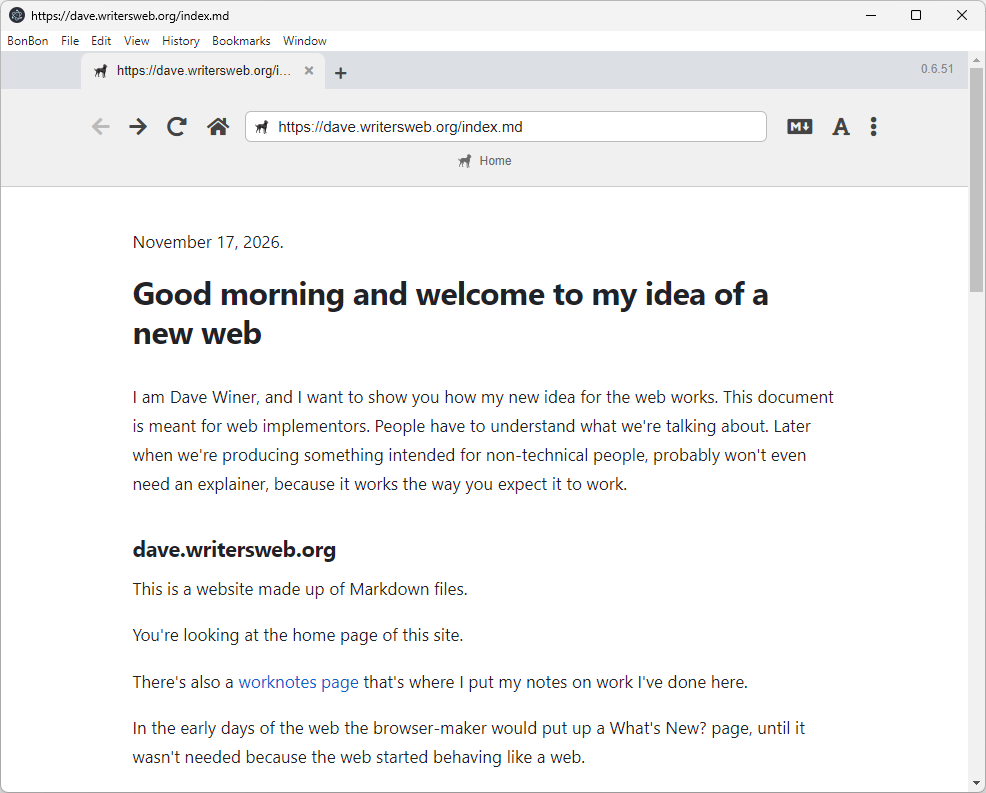
This week, Dave Winer announced the release of the initial app version of the Bonbon Markdown browser. This application focuses on display of files written in the Markdown format. Other formats may be added in the future, but for now Markdown files are the main format that can be displayed (entering a URL for an HTML file will result in the raw HTML file being displayed, and clicking on a link to an HTML file opens the file in a standard HTML browser).
Installation
The app is only available in Mac and Linux versions from the Downloads page. One of the early users (John Evdemon) documented a way to repackage the application for Windows in a Github issue, and I was able to generate the Windows executable and associated files from his instructions. This can be downloaded from my website as a zip file. To install the browser, download the zip file and unzip it, then click on the BonBon application icon within the folder. I will include detailed instructions on how I created the zip file at the end of this post in case users wish to generate their own version, or generate new versions as they become available. There is also a demo version available as a web application.
Usage
To view a Markdown file, a user enters a URL for a Markdown page in the browser URL address text box and presses the Enter key. BonBon retrieves the page and displays it. There is no styling of the page based on the page content. However, this BonBon page talks about how BonBon users can change the styling of Markdown files in BonBon (see “Making it yours” section). Clicking links to other Markdown files will display the Markdown file. As noted above, links to HTML files will open in a standard HTML browser. In general, the application acts like a standard HTML browser. This BonBon repo page goes into more details on specific user interface features (see “Finding your way around the window” section).
Philosophy
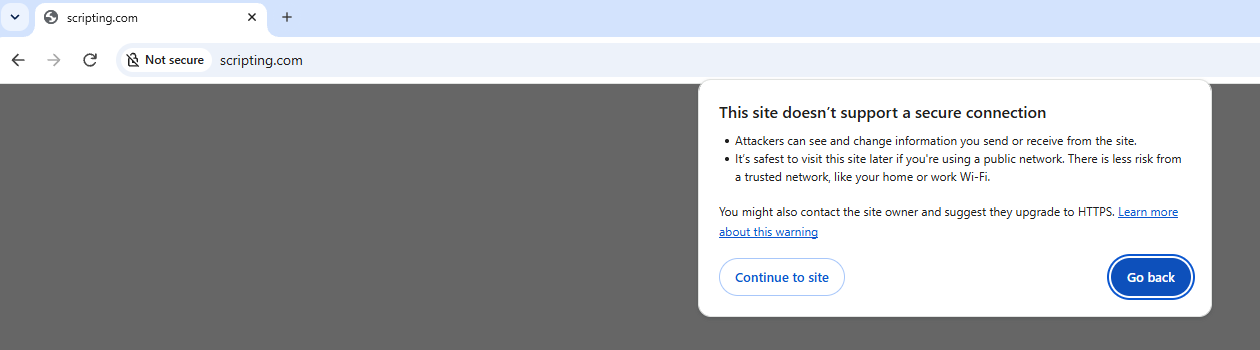
For some time, Dave Winer has been attempting to provide tools for writers and spark interest in the needs of writers. He developed WordLand as a better editor for writers using WordPress, and RSS.chat as a better tool for conversations. I think that BonBon is another step in this direction (supporting the ability to present a writer’s work without limits (character limits, lack of web features (see this Textcasting explainer for details)). However, I also think this is a subtle (or perhaps not so subtle) dig at Google for showing his main blog as an unsafe site due to use of HTTP instead of HTTPS.
In the end, the success of this application depends on an increase in Markdown content on the World Wide Web. I see this as a “boil the ocean” project – it is not likely to happen. However, this is the World Wide Web, the “platform without a platform vendor“, so there is nothing standing in the way of a developer to bring another type of experience to the Web. Go for it!
Other posts on BonBon
Frank McPherson: Markdown Web Advances
John Evdemon: BonBon is the first browser for the Markdown Web
Instructions for generating a Windows install
Per the Github issue, download the Linux zip file from the BonBon Downloads page, then unzip the file and copy the resources/app folder to another folder.
Here is what I did next:
- Opened Node.js command prompt window on my Windows 11 laptop
- Typed “npm install -g electron-packager” and pressed Enter to install the electron-packager NPM package, got some deprecation messages, but was able to complete install
- Navigated to folder that contained app folder mentioned above
- Typed “npx electron-packager ./app BonBon –platform=win32 –arch=x64 –electron-version=22.3.27 –no-prune –no-asar” and pressed Enter, got the messages “Packaging app for platform win32 x64 using electron v22.3.27” and “Wrote new app to: C:\BonBon\BonBon-win32-x64”
- Navigated to BonBon-win32-x64 folder, double-clicked on BonBon.exe, saw the app start